
Housecall Pro replacement
Keep the screens you use. Drop the rest of Housecall Pro.
Ten years in, your office runs on a handful of screens and pays for the whole menu. The one thing you need, it won't do. We rebuild what you use, add what it won't do, and put every account in your name. Then we keep it running every month.
- Your name on every account
- Fixed price, quoted in weeks
- US and Canada
Shipped
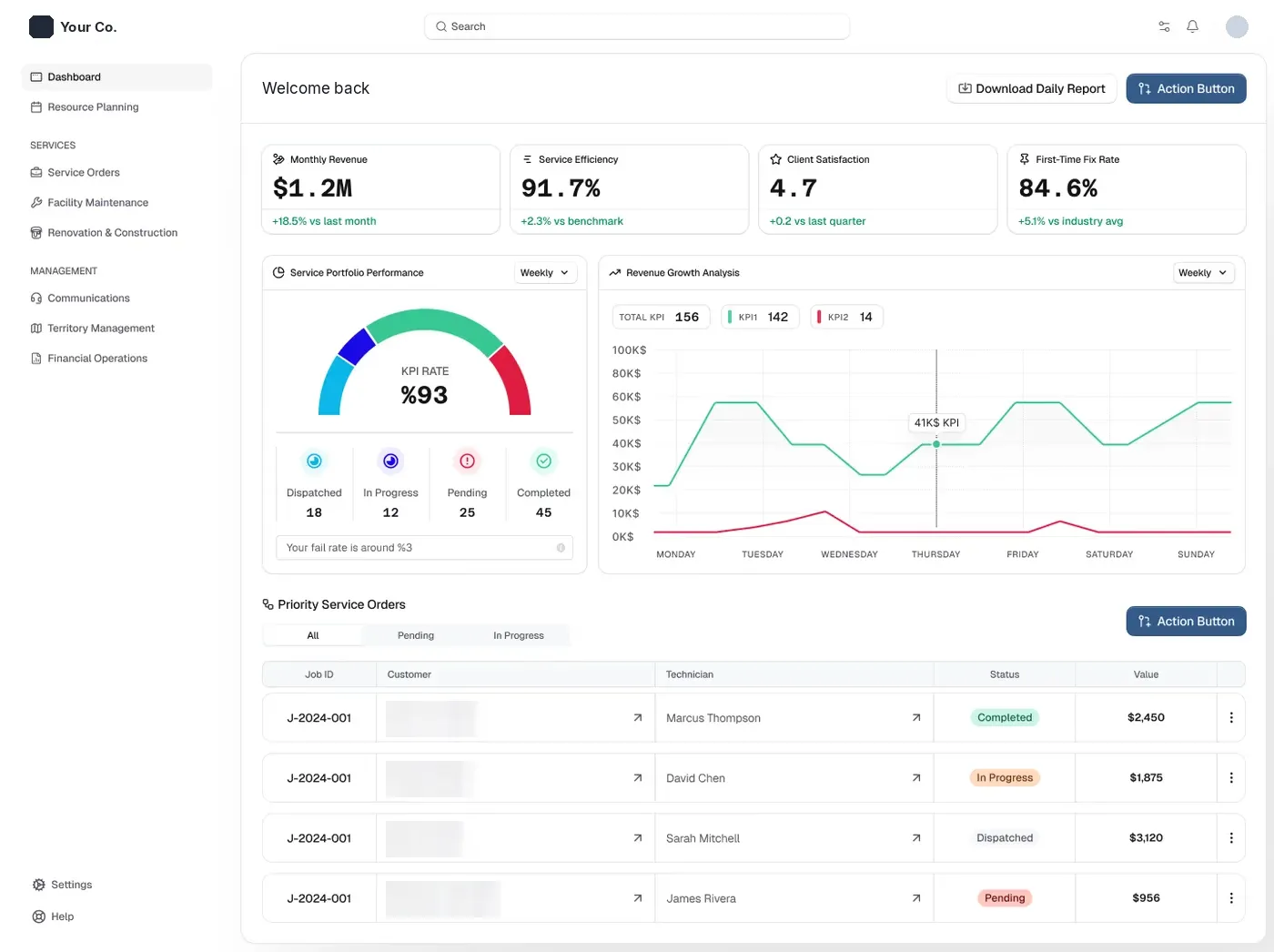
Replaced Housecall Pro for a facility services company in Alabama
Build your list
Tap what your office uses. That list is the spec.
Most shops we talk to use a slice of the menu. The rest is cost. Tap a chip to switch it on or off, then bring the list to the call.
Keep
Drop
- The pipeline nobody opens
- The built-in phone system (you run your own)
- Marketing add-ons you never switched on
- Seats you pay for and don't fill
Every line here is something you pay for today and won't pay for again.
Add
Your list: 6 kept, 4 dropped, 4 added.
Bring this list to a callA replacement we shipped
From renting software to owning something they can sell.
A facility services company in Alabama ran its techs on Housecall Pro. It had no proper client portal to put in front of the national restaurant chain it services. The owner could not see money, fix rate and urgent jobs in one place. We built the replacement. They cancelled Housecall Pro.
"Adeocode built us a platform that replaced Housecall Pro and gave us a client portal we could put in front of [a national restaurant chain]. We went from using software that wasn't built for us to owning something we can sell."
- Replaced
- Housecall Pro
- Added
- Client portal
- Owner
- The client
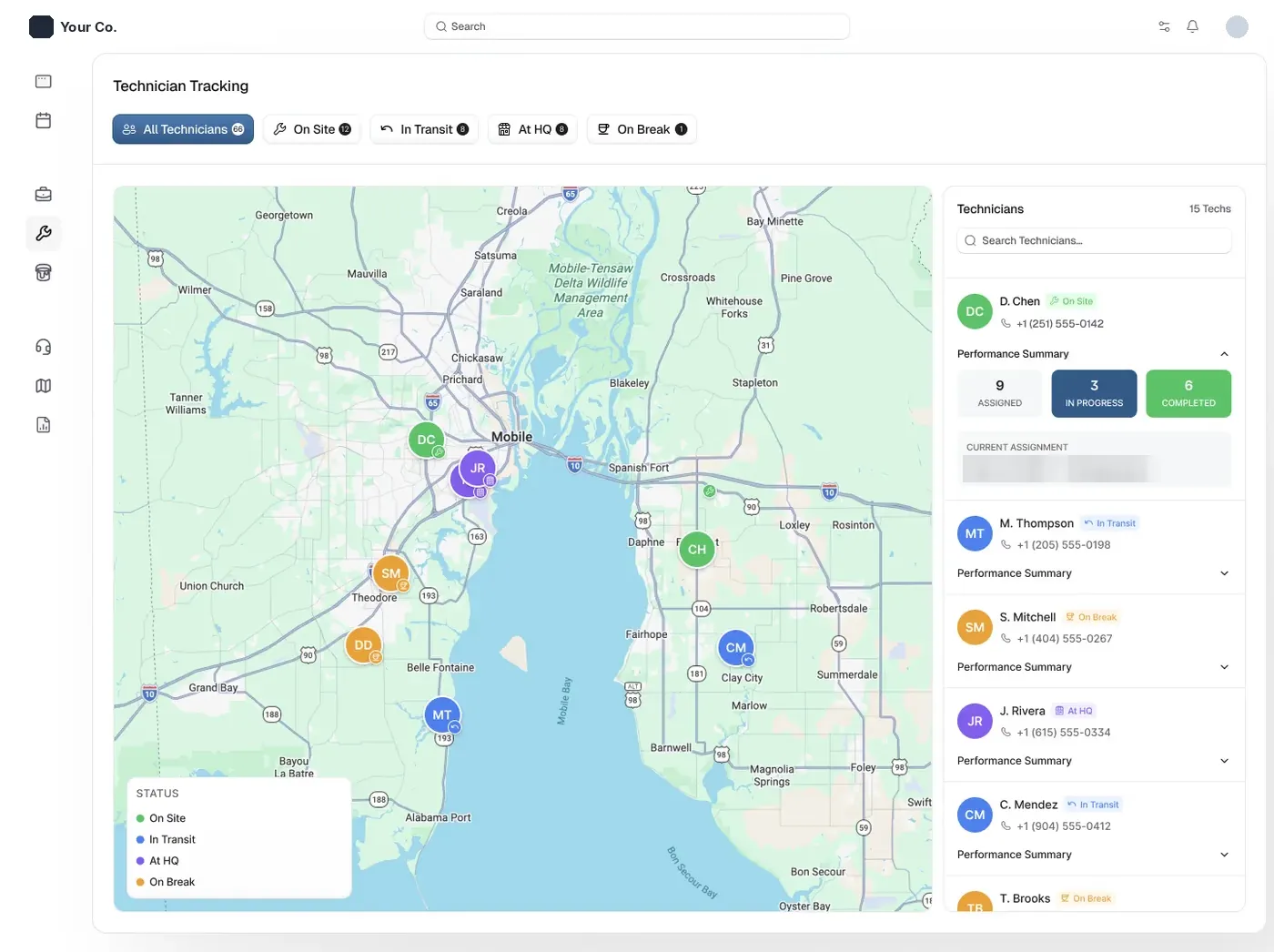
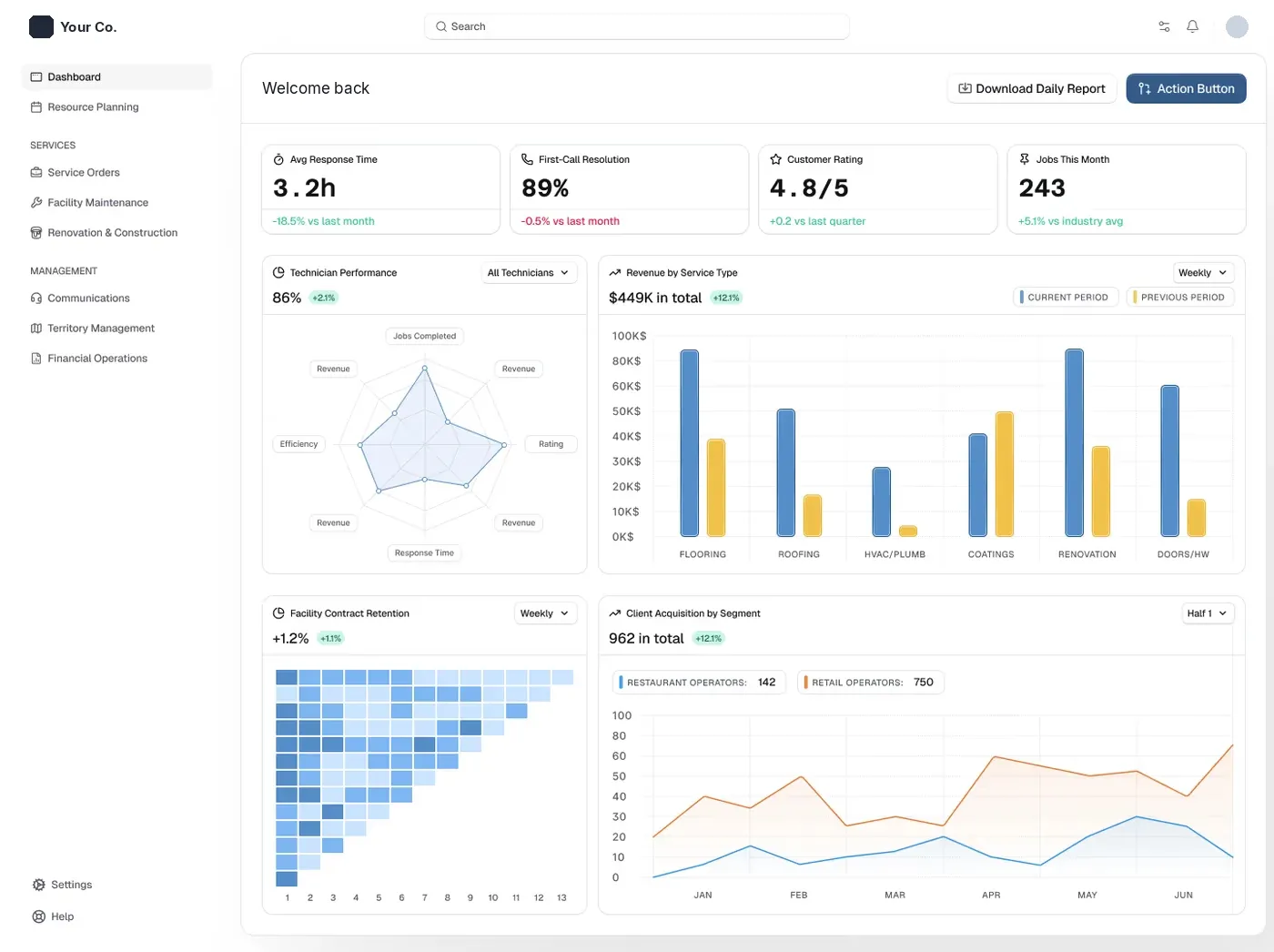
Client name, logo and customer list removed. Everything else is the real build.
You own it. We manage it.
The last vendor made themselves the owner. Here, that can't happen.
Shops that switch have usually been burned once: an agency that registered the domain in its own name, a developer who vanished with the code. So the order is fixed. Your name first, our access second.
Your accounts, in your name
Domain, hosting, texting, email and the database are opened in your company's name on day one. We get manager access. We never hold the keys.
Your code
The code lives in your own repository. If we stop working together, any developer can pick it up on Monday.
Your card processor
Pick the processor and the rate. Card and bank payments land in your account, and invoices mark themselves paid.
Kept running every month
Fixes, updates when a texting or payment provider changes something, and the next small feature. A team, so it never waits on one person.
How you move over
Nothing gets cancelled until the new one has run clean.
- 1Week 0
Screen-share what you use
You walk us through a normal week in Housecall Pro. We write down what you use, what you skip and what it won't do. That list is the spec.
- 2Weeks 1 to 3
The core, on a copy of your data
Customers, jobs, the schedule and the field app, loaded with your real history so you test on your own clients, not on Bob Smith.
- 3Weeks 3 to 6
Money and the missing pieces
Invoices, payments through your processor, reminders, and the things Housecall Pro wouldn't do for you. You approve each block before the next.
- 4Two weeks
Run both side by side
Your office books in the new system while Housecall Pro stays on as the safety net. Nothing gets cancelled until the new one has run clean.
- 5Switch day
Cancel, keep everything
Final history import, then you cancel the subscription. Most builds land in 6 to 10 weeks from the first call.
Renting vs owning, line by line
| Staying on Housecall Pro | Your own system | |
|---|---|---|
| Monthly bill | Per plan, plus extra users, add-ons and price changes | Hosting and a maintenance plan. No seat count |
| Card processing | Their processor, their rate | Your processor, your rate, plus bank payments |
| Features | Their roadmap, built for the biggest trades | Your list, in your order |
| Canada | Some features are US-only | CAD, GST and HST, PAD and e-transfer built in |
| Your data | Exports and an API on the top plan | Your database, in your name |
| Leaving | Export, rebuild your setup somewhere else | Nothing to leave. It's yours |
Owning isn't right for every shop. If Housecall Pro does 90% of what you need, an integration on top of it is cheaper. The money side is laid out inwhat custom field service software costs, and current plan prices are inour Housecall Pro pricing breakdown.
Housecall Pro replacement FAQ
Yes. Nobody owns the idea of scheduling a job, sending an invoice or texting a reminder. We build the way your office runs from scratch, with our own code. We never copy Housecall Pro's code, design or content, and we never log into your account to scrape it.
Yes. Customers, addresses, jobs and invoices come across from Housecall Pro's exports and API, and we import them more than once: first into the test copy, then again on switch day so nothing booked in between gets lost. You check a sample of old clients before anything goes live.
They get a phone app built for them: today's jobs, directions, notes, photos and clock in and out. It is usually the biggest single piece of a replacement, so we scope it first and keep it to the screens your crew actually taps.
Most land in 6 to 10 weeks from the first call, plus two weeks running side by side with Housecall Pro. Every build is a fixed price for a fixed scope, quoted in weeks, with each block approved before the next one starts.
Yes, that is often the reason to switch. You choose the processor and the rate, and bank payments like PAD in Canada or ACH in the US can sit next to cards. Payments land in your account and the invoice marks itself paid.
It changes what we build, not whether we can. Canadian builds get CAD pricing on your invoices, GST and HST, PAD for recurring clients and e-transfers matched to invoices automatically. We build for shops in the US and Canada.
Then you still own the domain, the accounts, the database and the code, because they were in your name from day one. Any developer can keep it running. That is the whole point of owning it.
Often, yes. A lot of owners now have a working piece built with ChatGPT or Claude: a payroll check, a reconciliation script, an inbox. We read what you built, keep what holds up, and take over the parts you don't want to maintain.
Ready to Start?
Housecall Pro is a trademark of its owner. Adeocode is not affiliated with Housecall Pro.